Dell Inspiron 14 7440 (2-in-1) vs Dell XPS 16 (9640)
[ VERDICT ]
Winner: Dell XPS 16 (9640) (88/100)
Dell XPS 16 (9640) leads overall with a score of 88/100 compared to Dell Inspiron 14 7440 (2-in-1) (51/100), offering superior measured performance and technical specifications.
Why choose Dell XPS 16 (9640):
- + Higher DeviceBenchmark Score score (88 vs 51)
- + Higher Performance score (89 vs 50)
- + Higher Gaming score (84 vs 27)
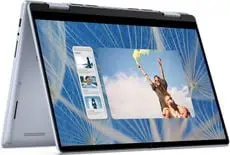

Benchmark Performance Comparison
Normalized Lab Scores| Benchmark | Dell Inspiron 14 7440 (2-in-1) | Dell XPS 16 (9640) |
|---|---|---|
| DeviceBenchmark Score | 51.0 Below Average | 88.0 Very Good WINNER |
| Gaming | 27.0 Poor | 84.0 Very Good WINNER |
| Performance | 50.0 Below Average | 89.0 Very Good WINNER |
| Battery Life | — | 82.0 Very Good |
| Display | — | 96.0 Excellent |
Detailed Technical Specifications
Battery
| Specification | Dell Inspiron 14 7440 (2-in-1) | Dell XPS 16 (9640) |
|---|---|---|
| Battery type | Li-Po | — |
| Charge power | 65 W | — |
| Charging port position | Left | — |
| Charging via USB (Power Delivery) | Yes | — |
| Fast charging | Yes | — |
| Replaceable | No | — |
| Voltage | 15 V | — |
| Battery Wh | — | 99.5 Wh |
CPU
| Specification | Dell Inspiron 14 7440 (2-in-1) | Dell XPS 16 (9640) |
|---|---|---|
| Base frequency | 1.2 GHz | — |
| Cores | 6 (2P + 4E) | — |
| Fabrication process | 10 nm | — |
| Integrated GPU | Intel UHD Graphics (64 EU) | — |
| L3 Cache | 10 MB | — |
| Threads | 8 | — |
| Turbo frequency | 4.7 GHz | — |
Case
| Specification | Dell Inspiron 14 7440 (2-in-1) | Dell XPS 16 (9640) |
|---|---|---|
| Area | 710 cm2(110 inches2) | — |
| Colors | Blue | — |
| Cooling system | Active | — |
| Dimensions | 314 x 226.15 x 15.86-18.90 mm12.36 x 8.9 x 0.62-0.74 inches | — |
| Liquid metal | No | — |
| Material | Aluminum | — |
| Number of fans | 1 | — |
| Opening angle | 360° | — |
| Screen-to-body ratio | ~80% | — |
| Side bezels | 6.3 mm | — |
| Transformer | Yes | — |
| Vapor chamber | No | — |
| Weight | 1.71 kg (3.77 lbs) | 2.20 kg (4.85 lbs) CNC Aluminum |
Connectivity
| Specification | Dell Inspiron 14 7440 (2-in-1) | Dell XPS 16 (9640) |
|---|---|---|
| Audio jack (3.5 mm) | Yes | — |
| Bluetooth | v5.3 | — |
| DisplayPort | No | — |
| Ethernet (RJ45) | No | — |
| Fingerprint | Optional | — |
| HDMI | 1x HDMI 1.4 | — |
| Infrared sensor | No | — |
| Optical drive | No | — |
| Proprietary charging port | No | — |
| SD card reader | Yes | — |
| Thunderbolt | No | — |
| USB Type-C | 2x USB 3.2 | — |
| USB-A | 2x USB 3.2 | — |
| VGA | No | — |
| Webcam | Above the display | — |
| Webcam resolution | 1920 x 1080 | — |
| Wi-Fi standard | v6E | — |
Display
| Specification | Dell Inspiron 14 7440 (2-in-1) | Dell XPS 16 (9640) |
|---|---|---|
| Ambient light sensor | No | — |
| Aspect ratio | 16:10 | — |
| Coating | Glossy | — |
| Contrast | 600:1 | — |
| HDR support | No | — |
| PPI | 162 ppi | — |
| Refresh rate | 60 Hz | — |
| Resolution | 1920 x 1200 pixels | — |
| Response time | 35 ms | — |
| Size | 14 inches | — |
| Sync technology | No | — |
| Touchscreen | Yes | — |
| Type | IPS LCD | — |
| Screen Size | — | 16.3 inches 4K+ OLED Touch (3840 x 2400) |
Graphics Card
| Specification | Dell Inspiron 14 7440 (2-in-1) | Dell XPS 16 (9640) |
|---|---|---|
| FLOPS | 1.3 TFLOPS | — |
| GPU base clock | 300 MHz | — |
| GPU boost clock | 1250 MHz | — |
| GPU performance | 1.3 TFLOPS | — |
| Memory size | System Shared | — |
| Memory speed | 5.2 Gbps | — |
| Memory type | DDR5 | — |
| Raster operations pipelines (ROPs) | 16 | — |
| Shading units (cores) | 512 | — |
| TGP | 15 W | — |
| Texture mapping units (TMUs) | 32 | — |
Input
| Specification | Dell Inspiron 14 7440 (2-in-1) | Dell XPS 16 (9640) |
|---|---|---|
| Backlight | Yes | — |
| Keyboard type | Island | — |
| Numpad | No | — |
| Surface | Plastic | — |
| Windows Precision | Yes | — |
RAM
| Specification | Dell Inspiron 14 7440 (2-in-1) | Dell XPS 16 (9640) |
|---|---|---|
| Channels | 1x8 GB | — |
| Clock | 5200 MHz | — |
| Max. ram size | 16 GB | — |
| Total slots | 2 | — |
| Upgradable | Yes | — |
Sound
| Specification | Dell Inspiron 14 7440 (2-in-1) | Dell XPS 16 (9640) |
|---|---|---|
| Audio chip | Realtek ALC3254 | — |
| Dolby Atmos | Yes | — |
| Microphones | 2 | — |
| Power | 2x2W | — |
| Speakers | 2.0 | — |
Storage
| Specification | Dell Inspiron 14 7440 (2-in-1) | Dell XPS 16 (9640) |
|---|---|---|
| Bus | PCI-E Gen 4.0 (4x) | — |
| NVMe | Yes | — |
| Storage type | SSD (M2) | — |
Design
| Specification | Dell Inspiron 14 7440 (2-in-1) | Dell XPS 16 (9640) |
|---|---|---|
| Weight | 1.71 kg (3.77 lbs) | 2.20 kg (4.85 lbs) CNC Aluminum |
Performance
| Specification | Dell Inspiron 14 7440 (2-in-1) | Dell XPS 16 (9640) |
|---|---|---|
| Cpu | — | Intel Core Ultra 7 155H (16 cores, up to 4.8 GHz, Intel AI Boost) |
| Gpu | — | NVIDIA GeForce RTX 4070 Laptop (8 GB GDDR6, 60W) |
| Ram | — | 32 GB LPDDR5X-7467 MHz |
| Storage | — | 1 TB PCIe 4.0 NVMe SSD |
Looking for More Comparisons?
Browse all available head-to-head comparisons or select new devices in the comparison hub.